
A storefront home for your whole program.
A dedicated loyalty landing page, assembled from Charm's own theme app blocks. Ways to earn, rewards, VIP tiers, referrals, and an auto-generated FAQ — signed-in members see their balance and progress, guests see the join pitch. On your brand, in thirty-five languages.
What it is
A loyalty widget answers "what's my balance?" for people who already know they're in the program. A landing page does the opposite job: it's a full storefront page that explains the whole program to someone who hasn't joined yet, and gives a member a place to see everything at once — earn rules, rewards, their tier, their referral link.
In Charm the page is built from the same theme app blocks that power the rest of your storefront. You create a normal Shopify page, then drop in the blocks you want and arrange them in the theme editor. Every block reads live from your program, so the values on the page are the values in your admin — never a screenshot that drifts out of date.
How it works
Four moving parts.
The configuration surface is small on purpose. Most stores set this up in one sitting.
- 01
Create the page, let Charm fill it
You create a normal Shopify page — Charm doesn't invent a route outside your theme — and from the Charm admin you deep-link straight into the theme editor for it. From there you add the loyalty blocks and arrange them like any other section.
Because it's a real theme page, it inherits your header, footer, and theme styling for free, and lives at a clean URL you control. Nothing is iframed; each block renders natively in your theme.
- 02
Blocks that show the real program
A full-bleed or contained hero opens the page, with mobile-specific image, overlay, and height controls so it reads well on a phone. Below it, a ways-to-earn section shows every rule with its real point value — including punch-card stamp grids that fill in and milestone ladders that show live progress toward the next reward.
A rewards block lays out what points buy. VIP tiers render in three layouts — an icon grid, stacked rows, or a comparison table that highlights the shopper's current tier — so you can pick the density that fits the brand. A referral section carries the member's personal code and share link, reward tiles, and live stats.
The page closes with an auto-generated FAQ built from your actual program settings — and it emits FAQ structured data, so the questions are eligible for rich results in search. An active redeemed-codes shelf shows a returning member the codes they've already unlocked, ready to use.
- 03
Personal for members, persuasive for guests
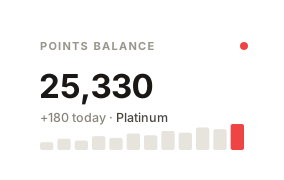
A signed-in member is greeted by name — vocative-aware when the Vocato app is connected, so Czech and Polish names read the way a person would say them — and sees their balance and progress front and center. A logged-out visitor sees the join pitch instead: what the program is and why to sign up.
The page is built to feel instant. It paints a skeleton immediately, serves cached program data, and kicks off the member-data fetch while the HTML is still parsing — so the first meaningful paint doesn't wait on a round-trip.
- 04
On your brand, in your words, in every language
The page inherits your store's brand colors automatically, and you can override the color theme per surface with a live preview in the Charm admin — so the landing page can differ from the widget or hub without touching the others.
Every string is translated into thirty-five languages out of the box and follows the shopper's locale, and every one of them is overridable per surface under "Advanced — all text" if you'd rather phrase it your way. The admin's Visibility → Landing page screen shows a live preview and detects whether the page is actually published, so you're never guessing whether it went live.
Examples
Three configurations to steal.
Ready-to-copy patterns we see in production. Tune the numbers to your margin and audience.

Tiers as a comparison table
Render your VIP ladder as a side-by-side comparison table that highlights the shopper's current tier — the layout that makes the climb to the next tier obvious at a glance.

Punch cards with live progress
The ways-to-earn block shows stamp grids filling in and milestone ladders tracking toward the next reward — real progress, pulled live, not a static graphic.

A referral section that shares itself
Members see their own code and share link, the reward tiles for both sides, and live stats — turning the landing page into a referral surface, not just a brochure.
Use cases
What it looks like in the wild.
DTC beauty: one page to explain it all
A single link in the nav and footer that turns "we have a loyalty program" into a page a browser can actually read — earn rules, rewards, and tiers laid out on-brand.
Apparel: tiers as the hook
Lead with the comparison-table tier layout so shoppers see exactly what Gold unlocks over Silver — the status ladder does the persuading.
F&B: a members' home base
Returning customers get a greeting, their balance and punch-card progress, and their redeemed codes in one place — a reason to come back between orders.
FAQ
Common questions.
Does Charm create the page for me?
Will it match my theme and brand?
What do logged-in and logged-out visitors see?
Is it good for SEO?
Can I change the wording, or use it in other languages?
Related
The rest of the platform.
Loyalty works best when the pillars work together.


When you're ready
Free up to 250 orders / mo.
Every feature on this page is included in Free. Upgrade only when your order volume crosses the threshold.